

ADFX_Helper; sound design pad.lua
Turn movement into sound.
A global control interface that enables plug-in automation using a Wacom Tablet, mouse, modulators and/or amplitude

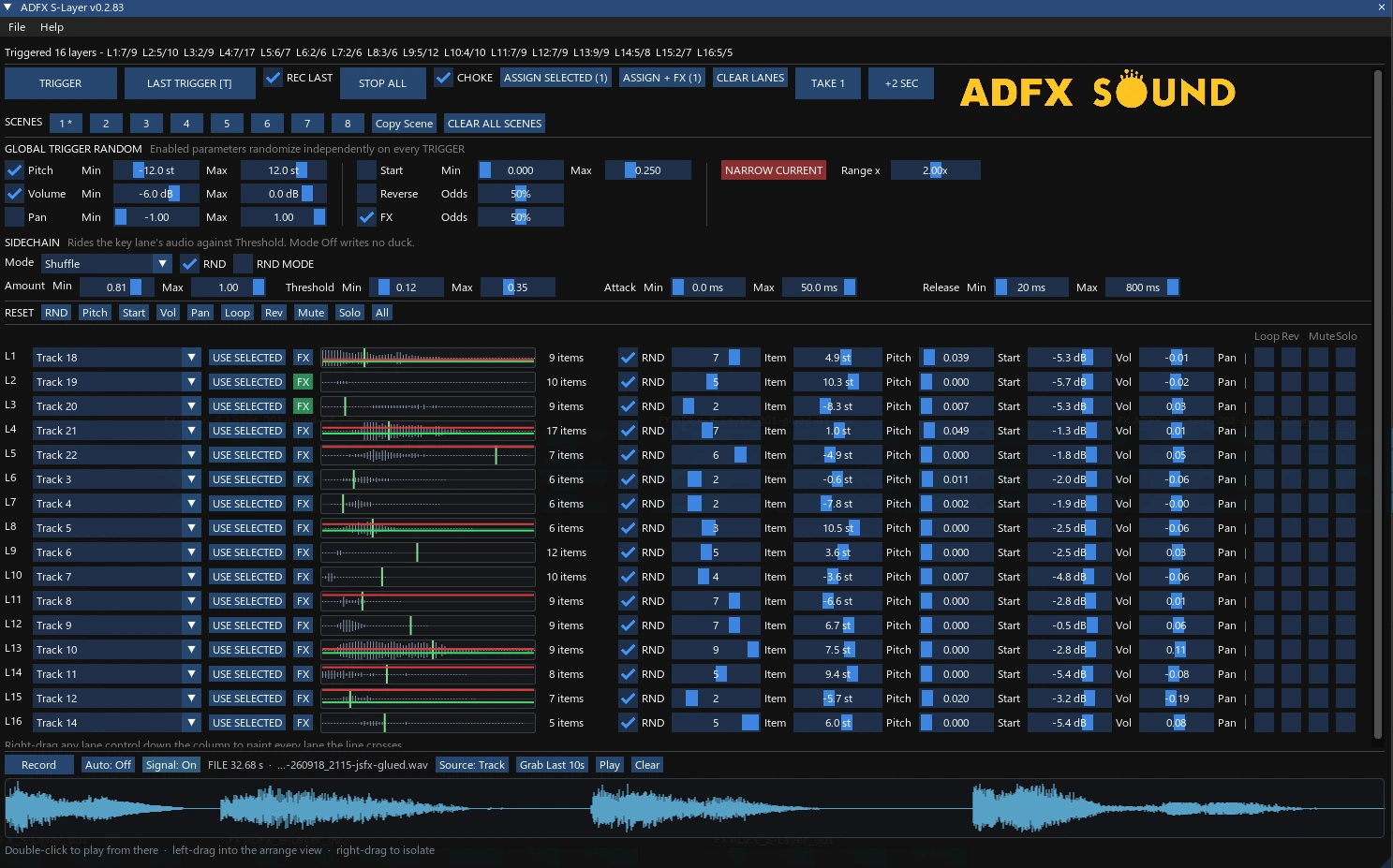
ADFX_Helper; S-layer.jsfx
Inspired by the Original S-Layer, this provides workflow improvements such as:
16 Channels
Easy sample loading from track items
Restore settings from the recorder
Narrow Current Settings
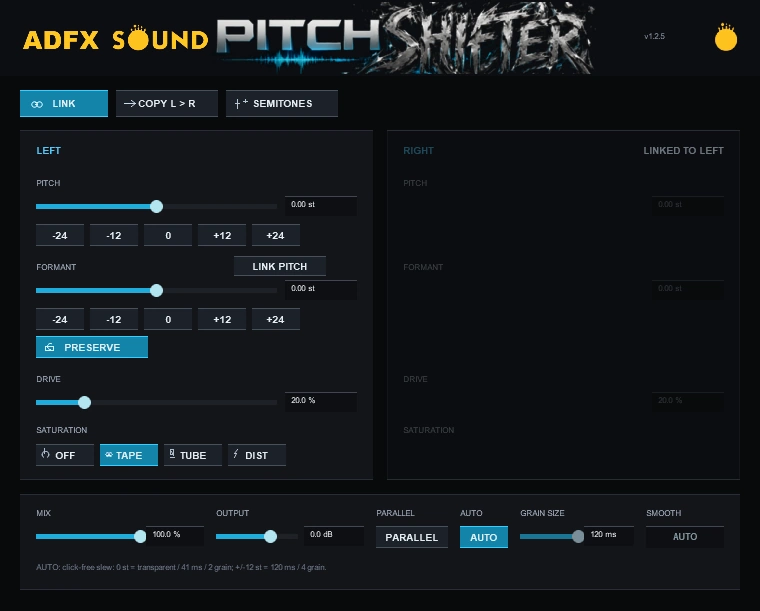
ADFX_Helper; pitch shifter.jsfx
This intelligently corrects grain size based on pitch values, and adds in saturation. Very effective for smooth, clean, drastic pitch changes.
ADFX_Helper; split silence.lua
Inspired by Pro Tools Split Silence
Provides visual for settings prior to committing with one single undo State.

ADFX_Helper; render video from selected item.lua
Render video(s) from selected item(s) using FFPMEG.
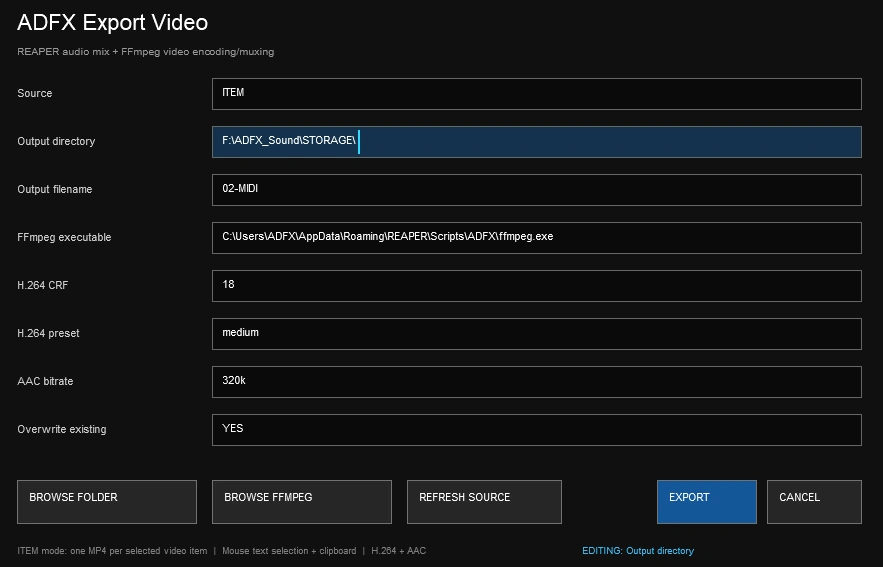
FFPMEG DOWNLOAD: ffmpeg.org
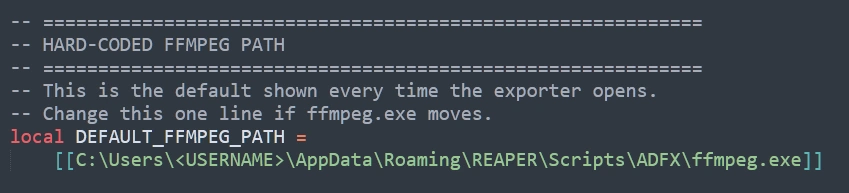
It's recommended to hardcode the ffmpeg.exe path directly into the script + place a dedicated copy ffmpeg directly in the scripts folder.
AppData\Roaming\REAPER\Scripts\ADFX

ADFX_Helper; renamer tool.lua
A simple, no frills item renamer; sequential or not. Do the thing.
-
Execute Script = Enter
-
Toggle Sequential Numbering = Tab
-
Exit = Esc

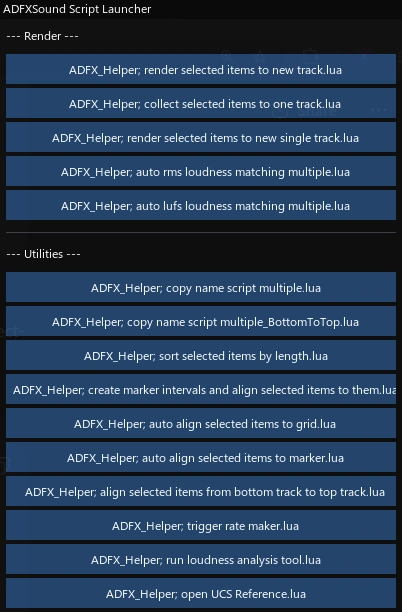
ADFX_Helper; script launcher.lua
Configurable floating GUI with arrangeable, easily executable buttons; for ones growing list of scripts
ADFX_Helper; trigger rate maker.lua
Create a 6 second loop at desired trigger rate, randomizing selected items, on a new track
ADFX_Helper; cubase style split tool.lua
ADFX_Helper; cubase style split tool reset.lua
This replicates the Steinberg (Cubase/Nuendo) style splitter tool, traditionally using 3 to activate a persistent splitter mouse tool, and then 1 to return to the normal mouse pointer. In this case ADFX_Helper; cubase style split tool reset.lua would be assigned to action 1, and ADFX_Helper; cubase style split tool.lua to 3 to mimic the same key strokes and functionality.
v1.1 adds cooldown to prevent phantom clicks
ADFX_Helper; create marker intervals and align selected items to them.lua
NOTE: The cubase style split tools scripts require Ultraschall API, available via Reapack. https://ultraschall.fm/api/
ADFX_Helper; insert 2 pop sync tone.lua
This replicates Pro Tools functionality to quickly add a 2 pop sync tone. Option+Shift+Control+3 (Mac), Win+Alt+Shift+3 (PC)
Download link for Media file for 2 Pop Sync Tone script: ( ADFX_Helper; insert 2 pop sync tone.lua )
ADFX_Helper; align items to grid.lua
Automatically aligns selected items with equal spacing and creates markers at each item position
ADFX_Helper; create markers at grid intervals.lua
Create markers on the downbeat of 1 at grid intervals
ADFX_Helper; auto align selected items to marker.lua
Automatically aligns selected items to markers while preventing overlap